For your child
What your child actually sees
Their own space to create and share, with you holding the keys.
This is the app from your child's side: the feed, the buddies, the school view and the red button. It is written for you rather than for them, and every screen below is a real screen from the app, filled with example posts and children.
Your child can't sign themselves up. The account, the age band and the first buddy connection all begin with you.
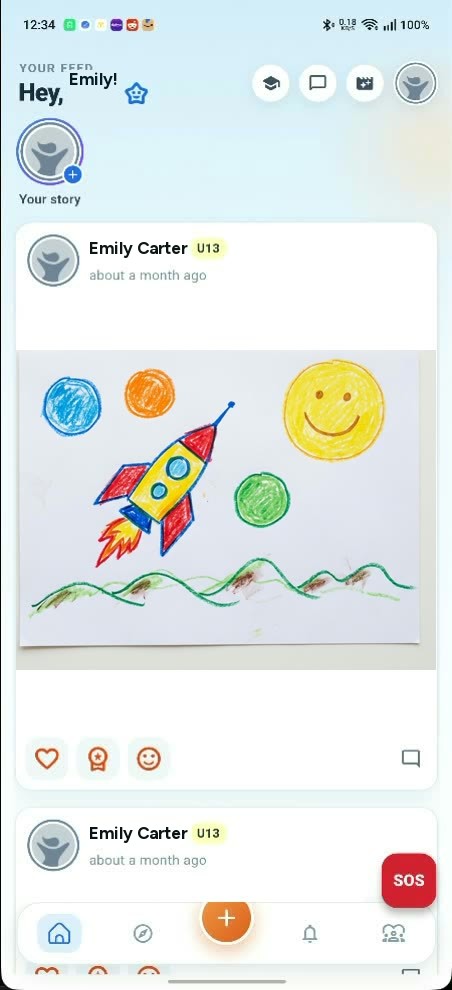
Emily's feed, showing a drawing of hers that a parent has already approved.
Before anything else
Their account starts with you
They don't sign themselves up
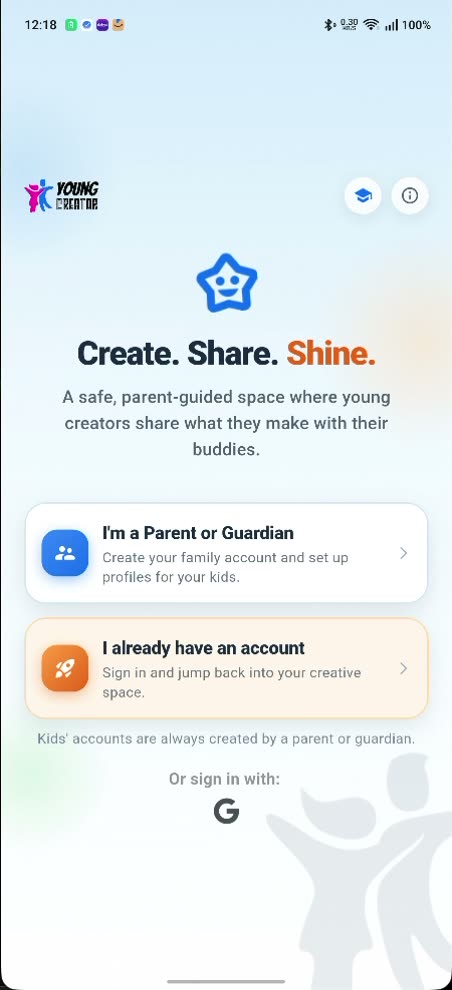
The first screen of the app offers two doors: “I'm a Parent or Guardian” and “I already have an account.” Neither one is a way for a child to open an account on their own. Underneath both, the app says it in as many words: Kids' accounts are always created by a parent or guardian.
That line is not just reassurance on a screen. A child account requested any other way is refused by the server, with the message “Children accounts can only be created by their parent.” Your child's account is made inside the family account you already opened.
Which also means there is no age box for a child to fib in. They never meet the sign-up form.
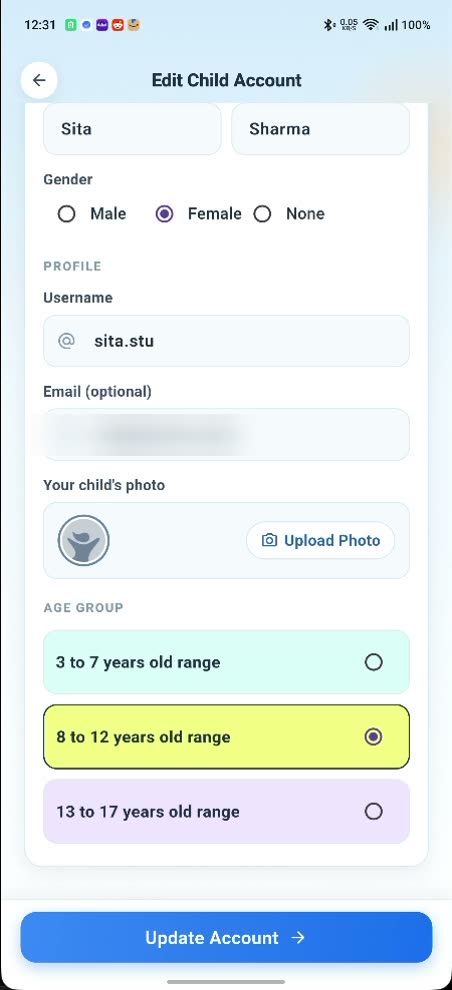
You pick the age band
On Edit Child Account you choose one of three ranges: 3 to 7, 8 to 12, or 13 to 17. It is your setting rather than theirs, and you can change it later from the same screen.
The band then follows them around. It shows as a small badge beside their name on their posts (U8, U13 or U18), and it shapes who they can find: when your child goes looking for buddies, the app lists other children in their own band.
Their feed obeys the same rule from the other direction. Posts from outside that band don't appear in it, so an eight-year-old's app stays an eight-year-old's app.
Making things
What happens when they tap post
Posting, and the wait
Your child writes their post and shares it. From their side it looks done. Nothing has gone anywhere.
The moment it's created, a request is raised and every parent on the family account is notified. Until the parent who opened the account approves it, the post is in nobody's feed: not their buddies', not anyone's. Approve it and it appears where they expected it all along. Leave it and it stays put.
Stories and comments take the same route. So do profile changes: when a child edits their own name, username or photo, the save is blocked and held, and the old version stays until you approve the new one.
One exception, and it's the same one across this site. If their school is on YoungCreator, anything tagged to their class, including the work your child submits back, is moderated by the school rather than held for you. That's section five.
The other side of the wait: their feed once the yes has landed and their posts have gone live.
Buddies
How they find their people
Finding buddies
The app points the way in its own words: “Head to Explore to find buddies and send requests.” Explore gives them a Find Buddies list and a search box.
Two things are true of that list. It contains only other children, so there is no adult in it to find and no way to search for one. And it contains only children in your child's own age band.
Your child can browse and search it as much as they like. What they cannot do is turn anyone on it into a buddy. Tapping add sends a request that needs four separate yesses: your child asks, you approve before it is delivered, the other child accepts, and their parent approves too. Only at the end of that chain are the two connected.
Messaging sits behind the same gate. A child can only message a buddy; the app turns down anything else with “You can only message your buddies.”
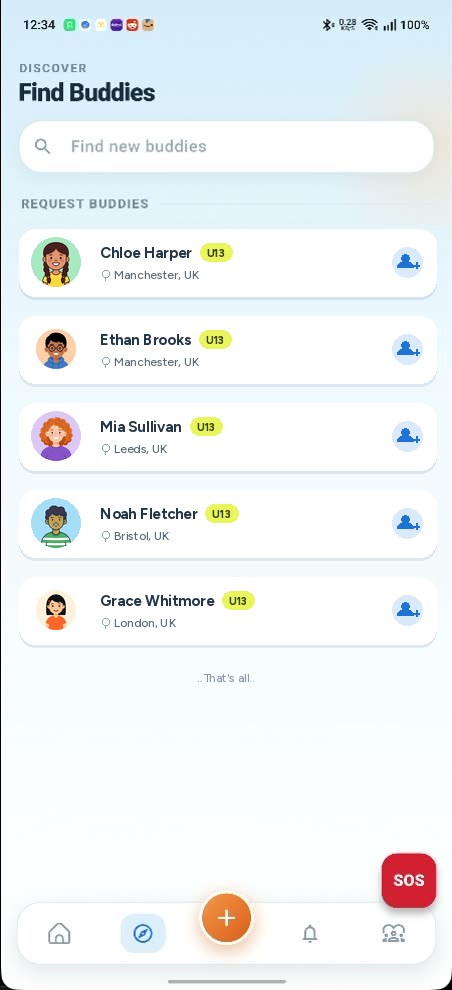
Explore, with the add button that sends a request, not a connection.
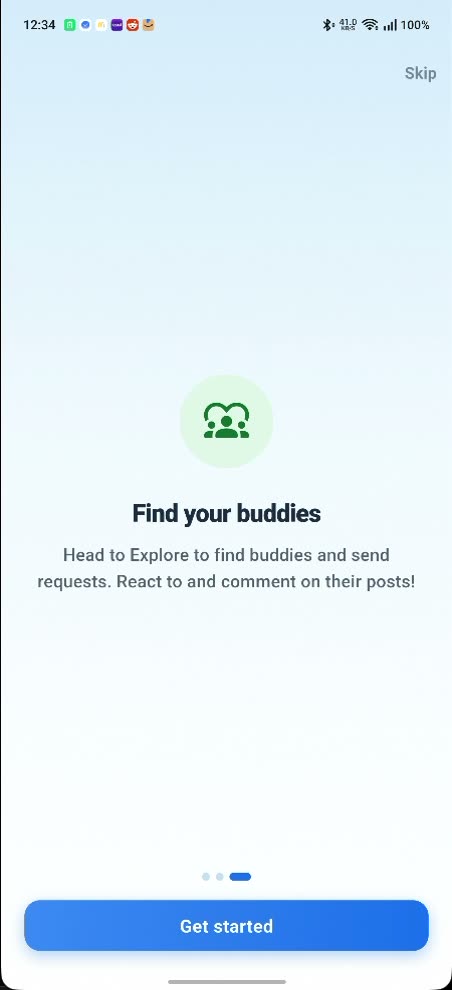
The coach-mark a child sees the first time they open the app.
School
A second view, if the school is on board
If their school is on YoungCreator
A school section opens up inside the same app, under the school's name and marked Student. It has two tabs: Feed and Timetable.
The feed carries posts from their teachers, each labelled by type (Homework, Announcement, Circular) and tagged to their class, such as “Class 4 Section A.” Homework arrives with a due date and a Submit button, so work is handed in from the same app. The timetable lays out the day period by period, with the subject and the teacher taking it.
This part does not come to you for approval. School and class posts come from teachers and are moderated by the school, not routed to a parent. It works the same way in reverse: a homework submission reaches the teacher without waiting for your yes. Enrolling your child is the consent for that exchange.
Nothing else changes. Posts, stories, comments, buddies and profile edits on the communication side of the app carry on exactly as they did before the school joined.
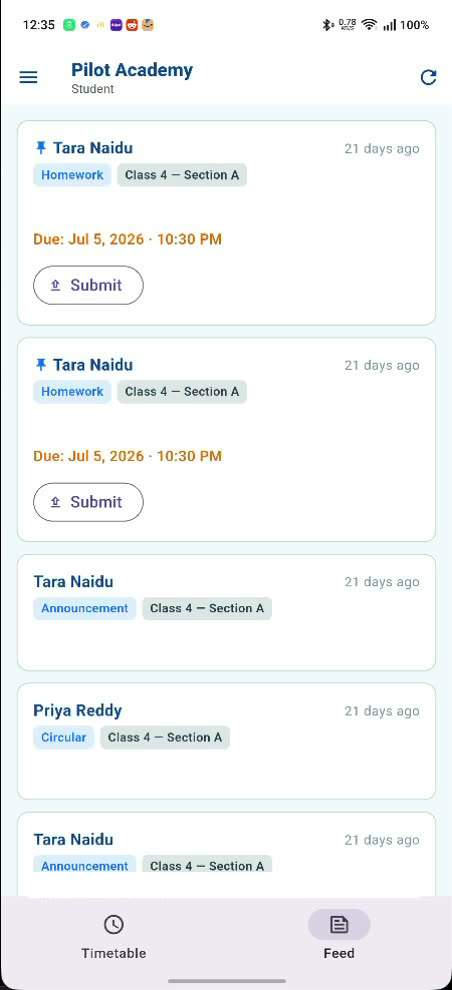
The class feed, with Submit on each piece of homework.
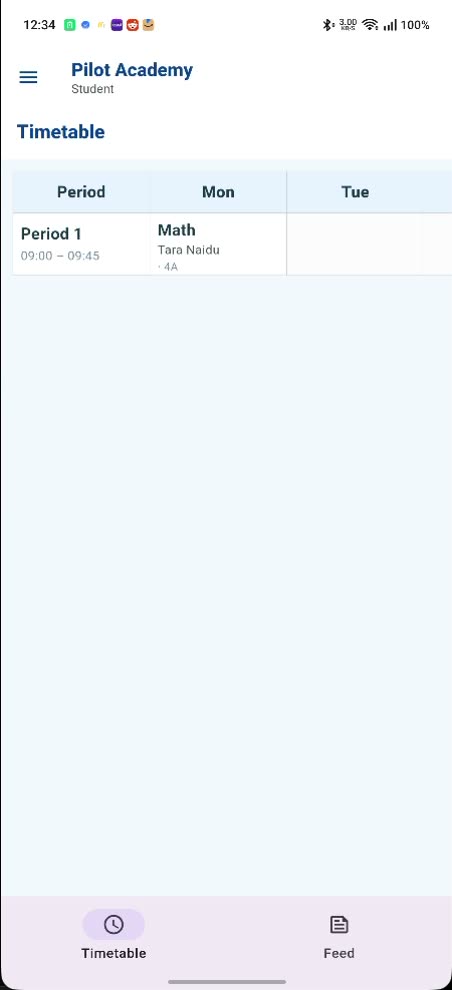
The timetable tab: the period, the subject and who's teaching it.
If something goes wrong
The red button
The SOS button
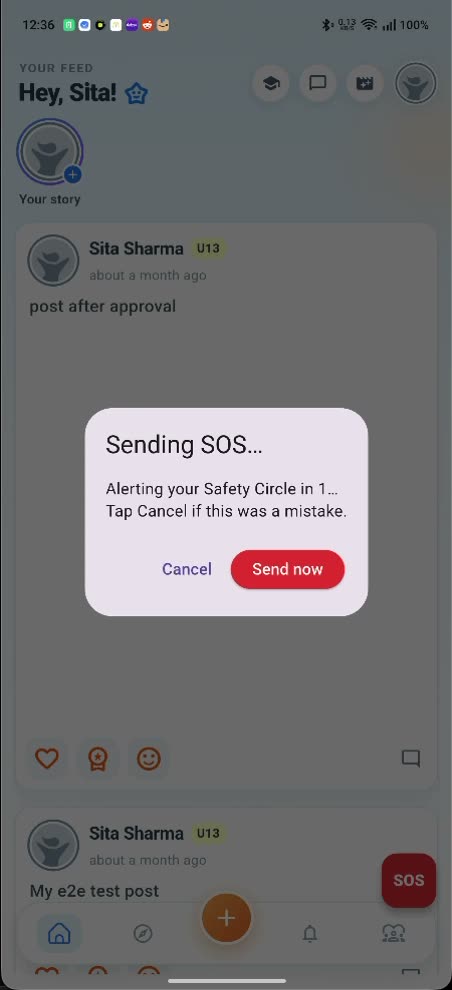
A red SOS button floats above your child's screen, low on the right, wherever they are in the app. They don't have to remember a number or find a menu.
One tap opens a dialog: “Sending SOS… Alerting your Safety Circle in 1… Tap Cancel if this was a mistake.” There's a short countdown, a Cancel and a Send now, so a fumble costs a second and a real emergency costs one tap.
Their Safety Circle is the set of adults you arranged in advance: you, a second guardian if you've added one, and any trusted contact you've given permission to receive alerts for that child. Your child is never left deciding who to reach in the moment.
The short version
What they can't do
Five limits your child cannot talk their way around, because the app enforces them rather than asking nicely.
- Publish a post, story or comment where other children can see it without a parent approving it first. The one exception is work tagged to their class, which the school moderates instead.
- Change their profile on their own. A new name, username or photo is held for approval and the old one stays live until you say yes.
- Add a buddy by themselves. One connection takes four yesses, from both children and both sets of parents, and until all four land nothing can pass between them.
- Be messaged by someone who is not already a buddy. Messaging runs buddy to buddy, and the app refuses anything else outright.
- Keep going past the daily or weekly screen-time limit you set. When the time is used up the app stops letting them in until the window resets.
Getting started
Getting your child signed in
Sit down together for this part. It takes a couple of minutes, and it is the moment to agree what the app is for.
-
Finish your side first
Before your child can get in, you need to have created their account, verified them from your own account and started their subscription. The app checks all three at the door, so a child handed a password too early will just meet a locked screen.
-
Install the app on your child's device
Same app, same free download, on their phone or tablet this time. There is no separate child app to look for.
-
Hand over the username and password
These are the ones you chose when you added them, so your child never invents their own credentials. On the first screen they tap 'I already have an account' rather than the parent option, then sign in with what you gave them.
-
Let them set up their corner
A photo, a story, a first post. Anything that other people would see waits for your approval before it goes anywhere, so there is no harm in letting them explore and tap about.
-
Show them Explore and the buddy request
They can browse other children in their own age band and send a buddy request. Walk through the first one together so they understand why it does not connect straight away: it needs a yes from you, a yes from the other child, and a yes from that child's parent.
-
Point out the red button
The SOS button sits above the tab bar. Tapping it warns their Safety Circle after a short countdown they can cancel. Worth showing them once so they know it is there and know it is not a game.
-
If their school is on YoungCreator
The graduation cap at the top of their feed opens the school side: their class feed, homework with a Submit button, and their timetable. Nothing else about their account changes.
Their sign-in is theirs, not yours. Approvals, settings and payments all stay on your account, and none of it is reachable from the child's side.
Get the app on their device
Free on iPhone and Android. If you have not set up your own account yet, start on the parent side.


Questions about the child's side
How old does my child have to be?
YoungCreator is built for children from 3 to 17, in three bands: 3 to 7, 8 to 12 and 13 to 17. You choose the band when you create their account and you can change it later. There is no sign-up age for a child to satisfy, because your child never fills in the sign-up form. You create the account for them, and the server refuses a child account made any other way.
Can my child talk to people I don't know?
Not in the communication part of the app. Messaging only works between buddies, and a buddy takes four approvals, one of them yours. The Find Buddies list contains only other children, in your child's own age band, so there is no adult in it to search for. If their school is on YoungCreator, their teachers post to the class feed and you can message those teachers; that school messaging runs between you and the teacher, tagged to your child, not between your child and an adult you have not met.
What happens to a post I reject?
It never reaches anyone. A post only enters other children's feeds once it is approved, so a rejected one simply never gets there. There is nothing to delete and no public trace to clean up. Your child is notified that the request was turned down, which is usually the start of a better conversation than a takedown would have been.
Can my child see how much screen time is left?
Not as a countdown in their app. The ten-minute warning goes to your phone, not theirs, so the nudge to wrap up comes from you rather than from a timer. When the limit is reached the app stops letting them in until the next day or week begins.
Does my child need a phone number or email?
No. A child's account needs a username you pick and a password; the email field on Edit Child Account is explicitly optional and a phone number is not required at all. That matters more than it sounds: your child has no separate inbox or phone number for anyone to reach them on, so there is no back channel into their day that runs around the app and its rules.
Their space, on your terms
Create your family account, add your child, and set the age band and the limits before they post a single thing.