How it works
One app. Three views.
A child creates. A parent approves. A school stays in touch. Here's the whole flow, screen by screen, from the real app with example content in it.
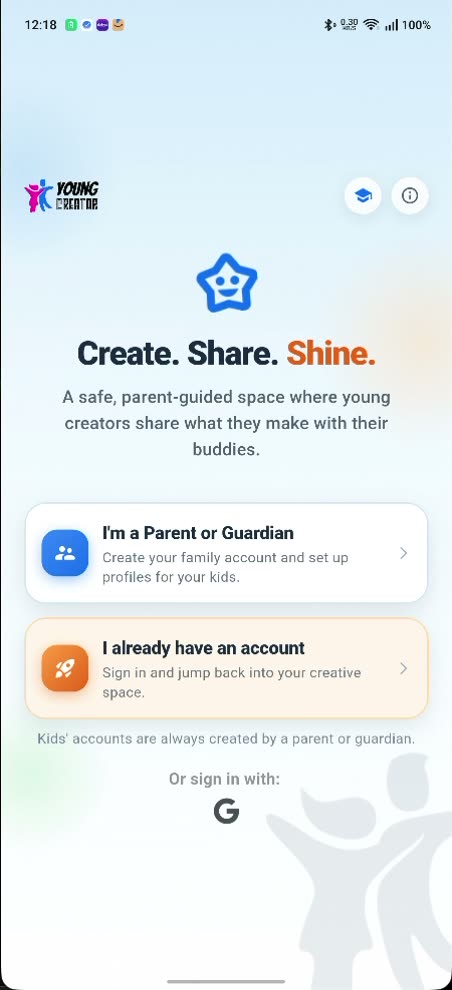
Kids never sign themselves up. Every child's account is created by a parent or guardian.
Three views
The same app looks different to each of you
One account per person, and each one shows only what that person should see.
For your child
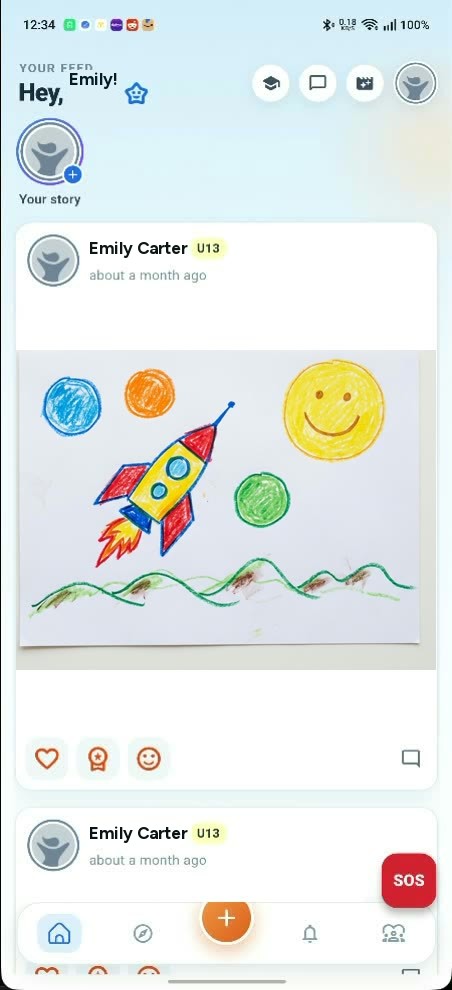
A feed of buddies you approved, a profile you set up, and a red SOS button that reaches the adults you chose.
See how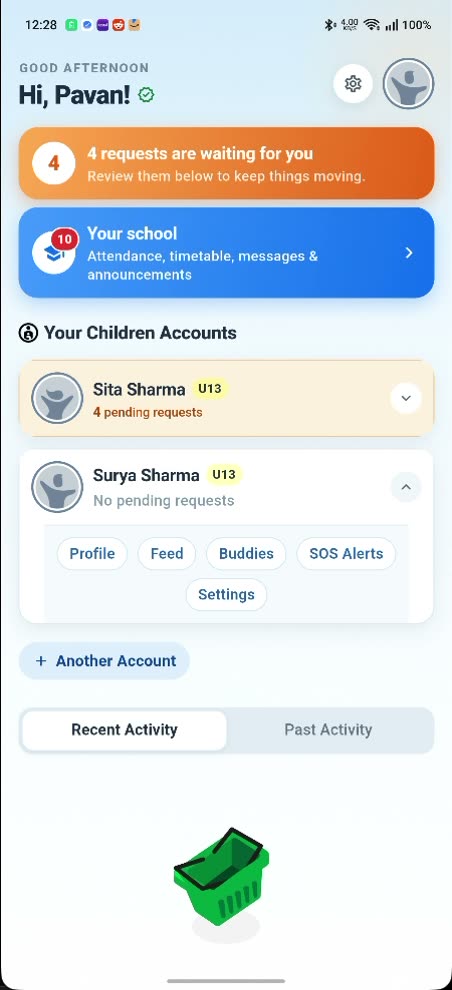
For parents
One dashboard for every child: what's waiting for your yes, what they've been doing, and how close they are to their screen-time limit.
See how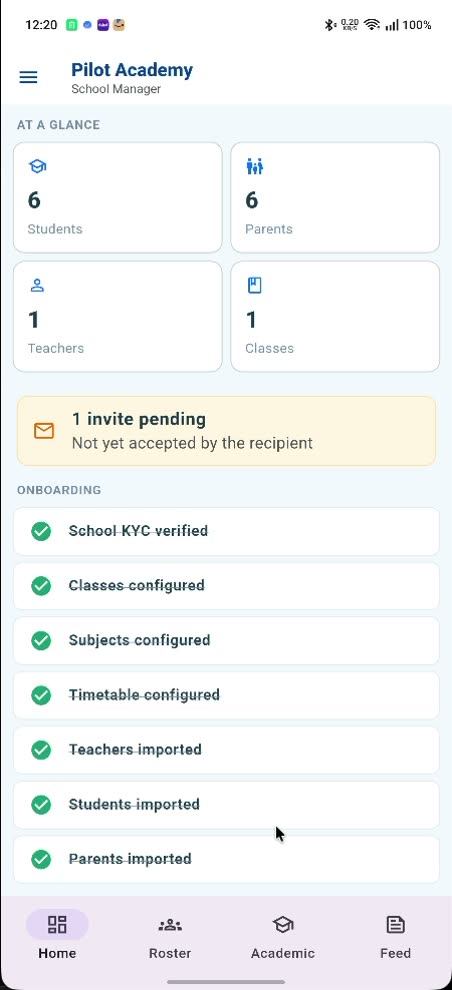
For schools
Attendance the parents actually see, homework and announcements sent to one class, and messages tagged to a child.
See howLoop one
The approval loop
Nothing goes public until a parent says yes
Your child writes a post and taps share. Nothing happens yet. The post is held, and a request lands with you.
You see it as a count on your dashboard, before anything else on the screen: four requests are waiting for you. Open one and you can read exactly what your child wrote. Approve it and it goes live to their buddies. Do nothing and it stays private.
Posts, stories, comments and buddy requests all take this route. So do profile edits, if your child changes their name, username or photo, the change is held and the old version stays until you approve it.
Settings also hold a daily or weekly round-up, at a time you pick, telling you how many unread notifications are waiting. The requests wait on your dashboard until you get to them, however you set it.
The child's side. Their feed, and the posts that went live once a parent said yes.
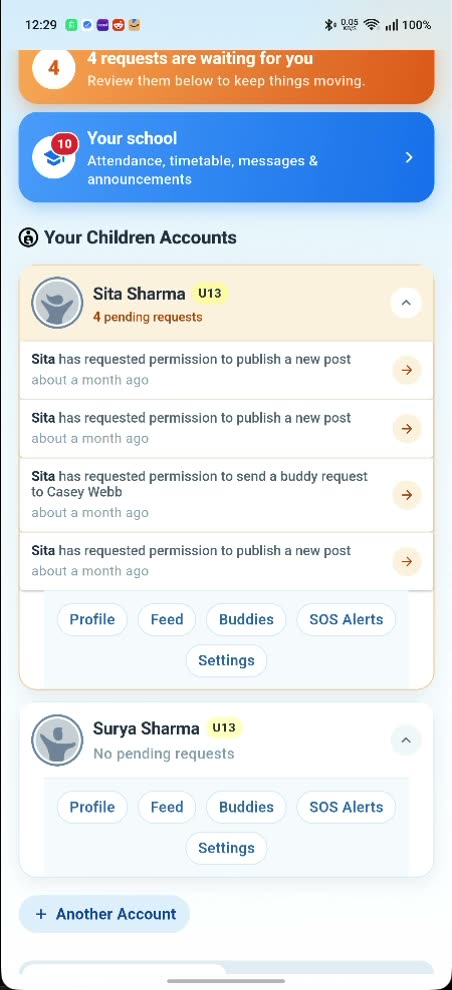
The parent's side. The same moment, on your phone: “Emily has requested permission to publish a new post.”
Loop two
The buddy loop
A friendship needs four yesses
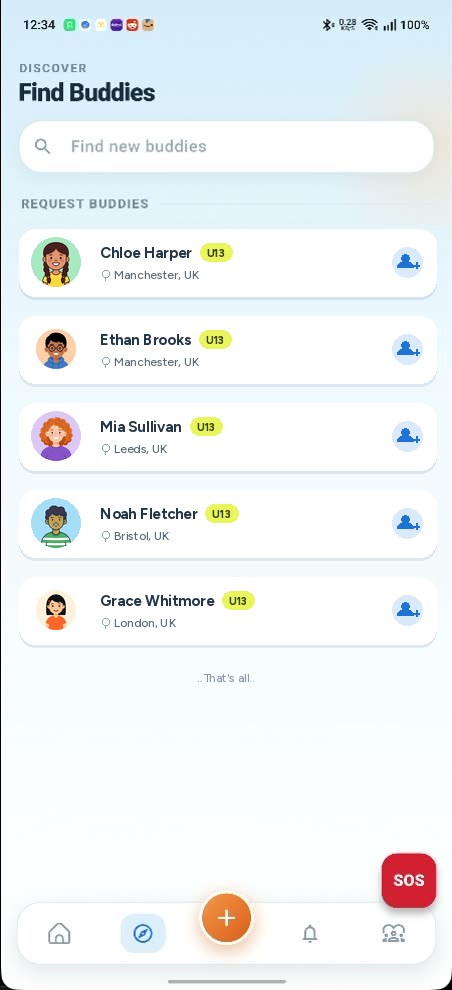
Children cannot add each other on their own. One connection takes four separate approvals, in this order:
- 1 Your child finds a buddy and sends a request.
- 2 You approve it before it is delivered.
- 3 The other child accepts.
- 4 Their parent approves too. Only then are the two children connected.
Two children, two families, four yesses. If any one of them declines, the connection simply never exists, and neither child can message or comment across it.
Loop three
The school loop
When the school is on YoungCreator too
A second view opens up inside the same app. Nothing else changes: the approvals, the buddies and the screen-time limits work exactly as before.
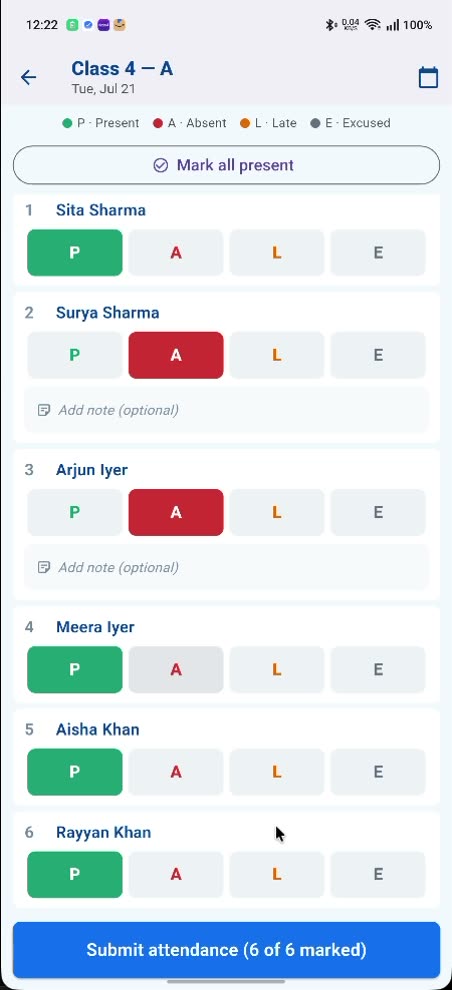
The teacher marks the class present, absent, late or excused and hits submit. You see the result on your child's card the same morning, and you get a notification when they arrive at school, down to the minute.
Homework, announcements and circulars are posted to one class rather than shouted at the whole school, and they land in your feed and your child's at the same time.
When you need to talk to a teacher, you can message the teachers who actually teach your child, and every message is tagged to that child so it never lands without context. The app refuses any other pairing.
One honest exception. School and class posts are moderated by the school, not held for your approval. Enrolling your child is the consent.
Getting started
Minutes for families, set up with us for schools
A parent signs up
Adults open the family account. A child account created any other way is refused outright, by the server, not just hidden in the app.
You create each child's account
You add each child and set their age range: 3 to 7, 8 to 12 or 13 to 17. It shapes what they see and what they can do, and only you can change it.
Schools are set up with us
Schools don't sign themselves up. We set the school up alongside you: classes, subjects and the timetable, then the roster in one CSV.
Talk to us about a pilotTry it yourself
Families start by downloading the app. It is free, and the same app carries the parent side, the child side and the school side, so there is nothing else to install.


Step by step
- Setting up as a parent Sign up, verify your ID, add your children.
- Getting your child signed in What to do together once their account exists.
- Bringing in a school How we set a school up with you, start to finish.
The controls behind it
What a parent actually holds
Every one of these is in the app today. Nothing here is coming soon.
- Posts, stories, comments and buddy requests all wait for a parent to say yes, apart from school-tagged content, which the school moderates.
- Profile changes are held too. A new name, username or photo doesn't take effect until it's approved.
- Age ranges of 3 to 7, 8 to 12 and 13 to 17, chosen by you, shaping what your child sees.
- Daily or weekly screen-time limits, with a warning as your child gets close to one.
- View history, so you can look back over what your child has been doing.
- Comments can be switched off entirely, per child.
- Pause or delete a child account whenever you want to.
- Trusted contacts, so a grandparent can see a little without running the account. Adding one requires the parent to be ID-verified.
- A red SOS button in your child's app that alerts their Safety Circle after a short countdown they can cancel.
Questions parents ask first
Does my child need my permission for everything?
Almost. Posts, stories, comments, buddy requests and profile edits all wait for a parent. There is one honest exception: if your child's school is on YoungCreator, anything tagged to their class is moderated by the school, not held for your approval. That covers the school's own posts, like homework and announcements, and what your child submits back, like a homework submission. Enrolling your child is the consent there.
Can strangers contact my child?
Not through the app. Two children are only connected after four separate approvals, and until that connection exists there is no way to send anything across it. The adults around the account are ones you can name. You add some of them yourself: a second guardian, or a trusted contact such as a grandparent. If your child's school is on YoungCreator, the list also takes in any other active member of that school, because the school side of the app is open to the school's whole active membership: staff, but also other parents and students, rather than their class teacher alone. Our own team can reach accounts too, for moderation and support.
What can my child do without asking me?
Read their feed, see what their approved buddies have shared, react to it, and use the school view if their school is on YoungCreator. On the communication side, anything other people would see waits for you first: a post, a story, a comment, a new buddy, a change to their profile.
Do both parents need to approve a friendship?
One approval from each side. The request goes to the sending child's parent first, then the other child accepts, then that child's parent approves. Four yesses in total, spread across two families, and the two children are only connected at the end of it.
Does my child's school need to use YoungCreator?
No. Approvals, buddies and screen-time limits work whether or not the school is involved. If the school does join, an extra school view appears in the same app with attendance, timetable, homework and messaging. Schools are set up with our team rather than signing themselves up, so if yours is interested, put them in touch with us.
Ready to see it from the inside?
Create a parent account, add your child, and set the rules before they post a single thing.